iPhone 16 Pro Max Charging? Expert Solutions In Andheri East.
The iPhone 16 Pro Max is Apple’s most powerful and premium smartphone yet — boasting top-tier performance, stunning visuals, and all-day battery life. But what happens when your premium device won’t charge properly?
At Apple Repair Centre, a trusted Apple service provider in Andheri East, Mumbai, we’ve already started seeing users walk in with iPhone 16 Pro Max charging problems. If you’re facing charging issues — whether it’s not charging at all, charging too slowly, or showing charging errors — this blog is your complete guide to understanding the problem and solving it fast.
🔋 Real iPhone 16 Pro Max Charging Issues We’re Seeing
Here are the most common complaints iPhone 16 Pro Max users are bringing to our service center:
- Not Charging at All
You plug it in — nothing happens. No lightning bolt, no sound, no battery increase. - Charging Too Slowly
Even with a fast charger, the phone takes hours to reach full charge. - Charging Pauses Randomly
Charging starts and stops unexpectedly while the phone is plugged in. - Wireless Charging Doesn’t Work
MagSafe fails to align or initiate charging, even with official Apple accessories. - “Accessory Not Supported” Error
A frustrating message appears despite using genuine Apple cables.
🔍 What Causes iPhone 16 Pro Max Charging Problems?
Even with its cutting-edge hardware, the iPhone 16 Pro Max isn’t immune to common issues. Here’s what may be causing the problem:
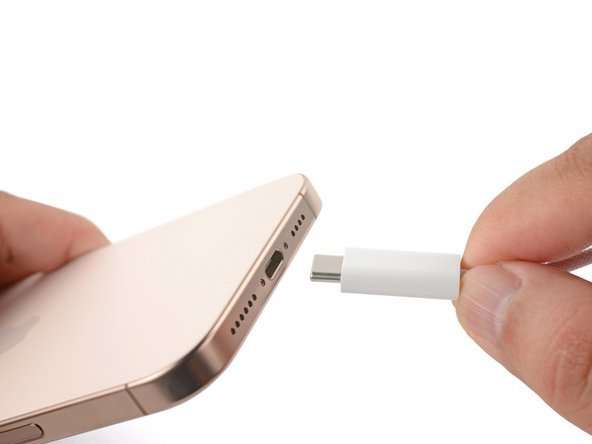
1. USB-C Port Obstruction
Dust, lint, or debris in the port can block the connection between charger and phone.
2. Damaged Charging Cable or Adapter
Even genuine Apple cables can wear out or suffer internal wire damage, reducing power flow.
3. Battery Health Problems
A weak or defective battery may prevent the device from charging properly or quickly.
4. Charging IC Chip Fault
If the charging IC chip on the motherboard is damaged, your phone may stop recognizing power input entirely.
5. Overheating During Charging
If your iPhone heats up too much while charging, it will slow or stop the process to protect internal components.
6. Software Glitch in iOS 18
Bugs in iOS 18 may prevent proper power management or charging recognition.
🛠️ Quick Fixes You Can Try at Home
Before visiting our service center, try these safe and easy fixes:
✅ Restart Your iPhone – It might resolve temporary system glitches.
✅ Use a Different Cable/Adapter – Preferably an original Apple-certified one.
✅ Clean the Charging Port – Use a soft brush or dry toothpick carefully.
✅ Try Wireless Charging – If wireless charging works, the port might be the issue.
✅ Update Your iOS – Ensure you’re running the latest software version from Apple.
If none of these work — don’t force it. Bring it to the professionals.
🧑🔧 Why Choose Apple Repair Centre for iPhone 16 Pro Max Charging Issues?
At Apple Repair Centre, we understand how vital your iPhone 16 Pro Max is — for work, communication, and everything in between. That’s why we provide specialized repair services for Apple devices, including the latest models.
Here’s what makes us the preferred choice in Mumbai:
✔️ Free Charging Issue Diagnosis
✔️ Same-Day Service on Most Repairs
✔️ Only Original or OEM-Compatible Parts Used
✔️ Certified Apple Repair Technicians
✔️ Affordable, Transparent Pricing
✔️ Convenient Andheri East Location
We repair charging ports, batteries, logic boards, and charging IC chips — safely and efficiently.
📍 Visit Apple Repair Centre in Andheri East, Mumbai
🛠️ Apple Repair Centre – Trusted Apple Service in Mumbai
📍 204, 2nd Floor, Rehab Commercial Complex, MIDC Central Rd, near Akruti Star, Kondivita, Andheri East, Mumbai – 400093
📞 Call Us: 074287 74478
📌 Find us on Google Maps
⚠️ Don’t Ignore Charging Issues – Fix Them Before It’s Too Late
Charging problems can start small and quickly get worse. A loose port today could turn into a dead motherboard tomorrow. Trust Apple Repair Centre to diagnose the issue accurately and fix it the right way — fast, safe, and affordable.